Archived invoices
Archive invoices to hide them from the Invoices page in Invoicepak, then restore them or delete them permanently, one at a time or in bulk.
Archiving hides an invoice from the Invoices page without deleting it. Archived invoices are kept on the Archived invoices page, where you can restore them or delete them for good.
Archive an invoice
You archive invoices from the Invoices page:
- One invoice: click … on its row, then Archive. You'll see Invoice archived.
- Several invoices: tick them, click Archive in the selection bar, then Archive again to confirm. You'll see a message such as 2 invoices archived.
See Archive and Archive in bulk for screenshots.
Open Archived invoices
- In the Shopify admin sidebar, under Invoicepak, click Invoices.
- Click Archived invoices at the top right.
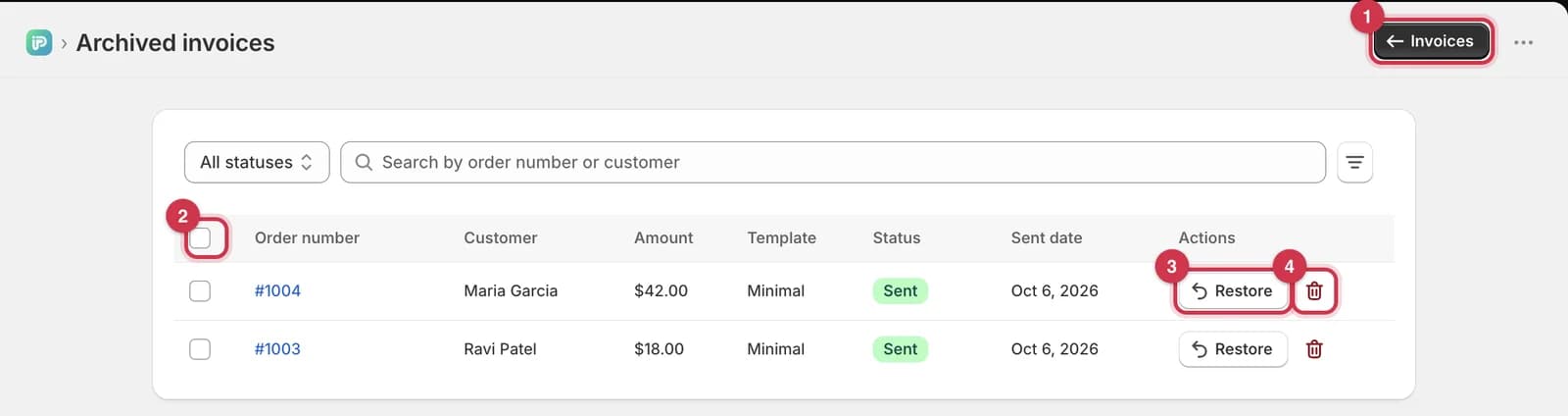
- Invoices takes you back to the Invoices page.
- Select all ticks every invoice on the page. See Restore or delete several invoices.
- Restore moves the invoice back to the Invoices page.
- The bin icon deletes the invoice permanently.
The status filter, search, More filters, sorting and pages work the same as on the Invoices page. See Find an invoice.
If you haven't archived anything, the page says No archived invoices.
Restore an invoice
Click Restore on the invoice's row.
You'll see Invoice restored. The invoice is back on the Invoices page, with its status and sent date unchanged.
Delete an invoice permanently
- Click the bin icon on the invoice's row.
- Click Delete to confirm, or Cancel to go back.
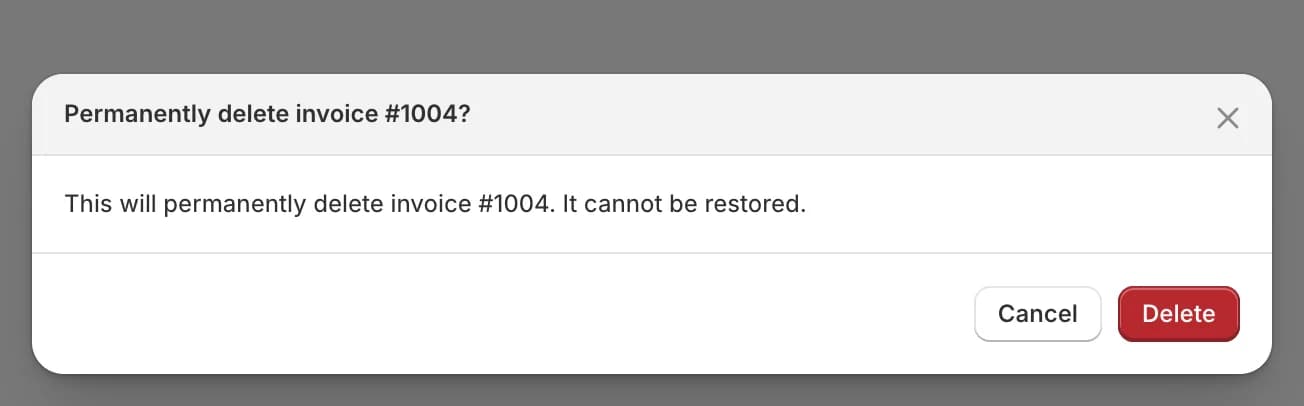
You'll see Invoice permanently deleted.
You can only delete invoices that are archived. To delete an invoice from the Invoices page, archive it first.
Restore or delete several invoices
Tick the box at the start of each invoice's row, or tick the box at the top of the table to select every invoice on the page.
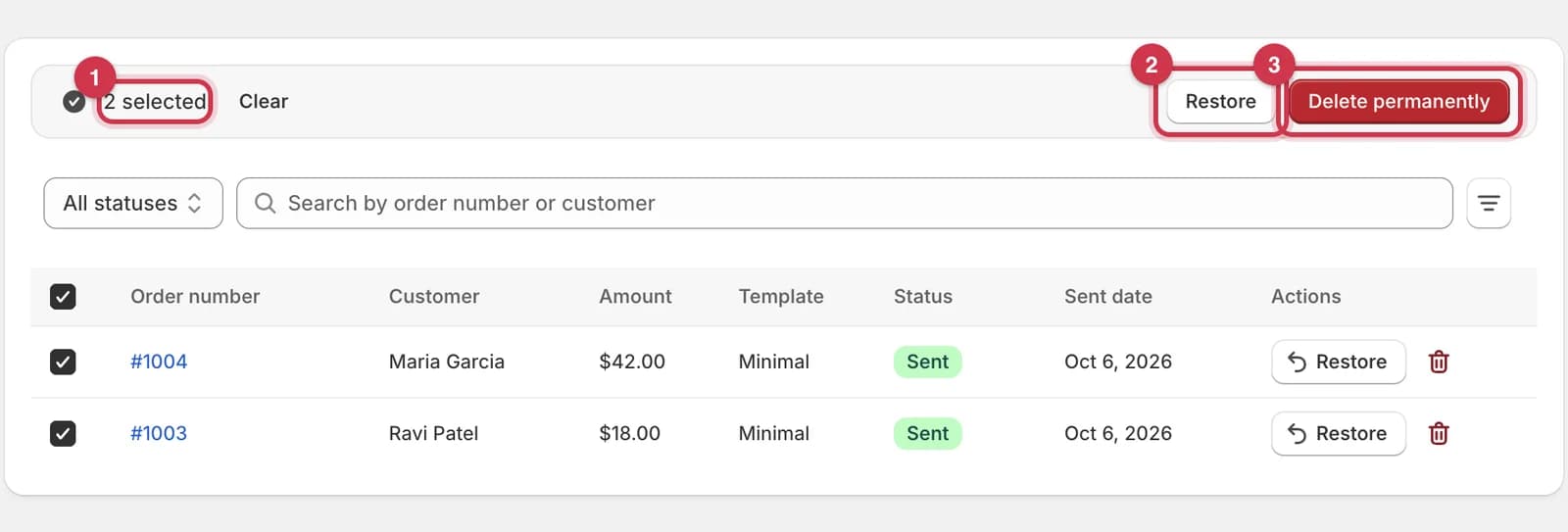
- The bar shows how many invoices are selected. Click Clear to untick them.
- Restore moves them all back to the Invoices page straight away. You'll see a message such as 2 invoices restored.
- Delete permanently asks you to confirm first.
To delete the selected invoices:
- Click Delete permanently.
- Click Delete permanently to confirm, or Cancel to go back.
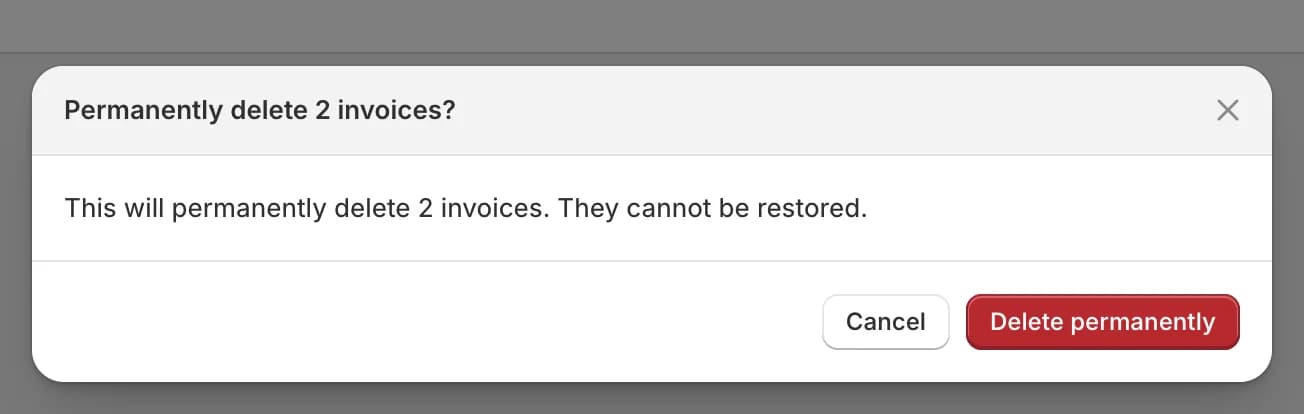
You'll see a message such as 2 invoices permanently deleted.
Selection only covers the page you're on.
What archiving and deleting change
| Archive | Delete permanently | |
|---|---|---|
| Shown on the Invoices page | No | No |
| Shown on Archived invoices | Yes | No |
| Can be undone | Yes, with Restore | No |
| The Shopify order | Not changed | Not changed |
| The email the customer already received | Not changed | Not changed |
| Invoice emails used this month | Still counted | Still counted |
| Can you still send an invoice for the order? | Yes, from the order with More actions → Send invoice email | Yes, from the order with More actions → Send invoice email |
Which plan do I need?
| Action | Free | Basic | Pro | Premium |
|---|---|---|---|---|
| Archive (one or many) | ✓ | ✓ | ✓ | ✓ |
| Restore (one or many) | ✓ | ✓ | ✓ | ✓ |
| Delete permanently (one or many) | ✓ | ✓ | ✓ | ✓ |
Common questions
Is archiving the same as deleting?
No. Archiving only hides the invoice, and you can restore it at any time. Deleting removes it for good.
Can I resend or download an archived invoice?
Not from the Archived invoices page. Restore it first, then use the … menu on the Invoices page.
Do archived invoices still count in my Dashboard stats?
Yes. The Dashboard counts every invoice email sent this month, whether the invoice is archived or not.
I deleted an invoice by mistake. Can I get it back?
No. But the order is still in Shopify, so you can send a new invoice from the order page with More actions → Send invoice email. See Send an invoice email from an order.
Does archiving stop an invoice from being sent?
No. Archiving only changes where the invoice is shown. An invoice that's still Pending or Processing carries on in the background.
Last updated